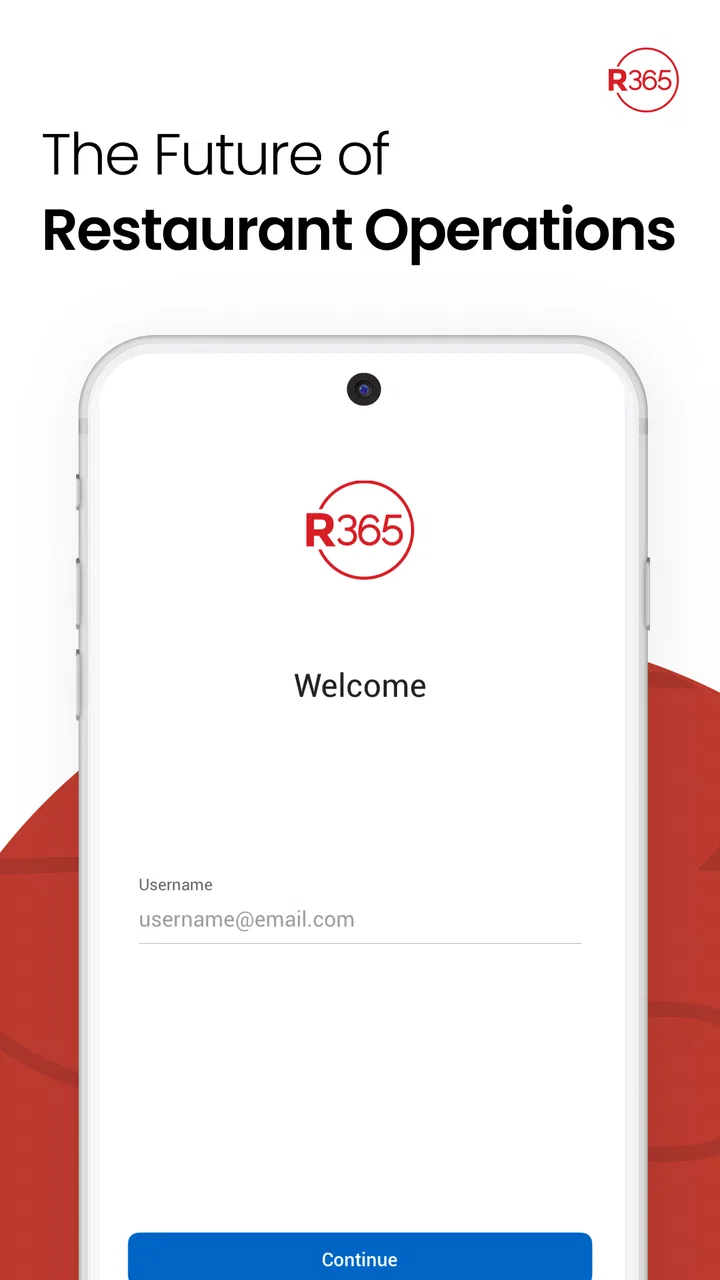
Restaurant365
- 4.7
- Rating
- 100.00K
- Installs
- Free
- Price

 Analysis by App-foxy
If you manage a restaurant, the hardest part of a business app is rarely installing it. The real test is whether it helps you make a useful decision during a busy shift, without forcing you to stop and decode a complicated system. That is the lens I used with Restaurant365, a free business app from Restaurant365 designed to bring the Restaurant365 experience to a mobile device.
My overall impression is that this is best understood as a companion for people already working inside a restaurant operation, rather than a general-purpose planning tool for anyone who owns a small business. It makes the most sense when your day includes checking operational information, staying connected to restaurant workflows, and handling business tasks away from a desk. If you are looking for a simple food diary, a basic cash register, or a standalone bookkeeping app, this is probably the wrong direction.
The app has a 4.7 average from around 10K ratings, which suggests that many users find its role clear and useful. It is available at no charge and carries an Everyone age rating, so the barrier to trying it is low. Still, the value depends heavily on how your restaurant uses the wider Restaurant365 environment. The mobile app can be convenient, but it is not magic: it cannot make an incomplete setup, unclear staff responsibilities, or inconsistent restaurant procedures disappear.
You May Also Like
 Google Keep - Notes and lists
Google Keep’s Quiet Growth Shows the Appeal of Simpler Notes
As mobile work gets busier, Google Keep keeps winning a simple contest: capture a thought quickly, find it later, and get on with the day.

 Blood Strike: 2.5 Anniversary
Blood Strike’s Loadouts Turn Every Drop Into a Tactical Gamble
A close look at Blood Strike’s custom loadouts: how fast access to signature weapons reshapes its battle royale rhythm, rewards preparation, and narrows the gap between fights.

 Pandora - Music & Podcasts
Pandora’s Music Is Easy to Start, but Harder to Recover
Pandora’s strength is its low-effort path from a seed to a station. Its weak spot is how much confidence it asks you to place in connection, setup, and quiet recovery.

 8 Ball Pool
8 Ball Pool Is Built on Rivalries, Rematches, and Routine
A close look at the rivalries, rematches, shared routines, and unanswered safety questions that turn a quick pool match into a persistent mobile community.

 Samsung Music
Samsung Music’s Quiet Strength Is Playing What You Already Own
Its reach comes less from spectacle than from dependable access to a personal library. That simplicity is both the app’s strongest retention engine and its ceiling.

 AccuWeather: Weather Radar
AccuWeather Review: A Quick, Clear Forecast for Everyday Decisions
For everyday plans, the best forecast is the one you can understand quickly. AccuWeather makes rain timing, radar, and local conditions easy to act on, with a few trade-offs.
More From Our News Desk



What to expect before you begin
Restaurant365 is a business app, not a consumer app that explains itself through a long guided tour. From the first launch, I would approach it with a specific work goal in mind. For example, you might want to check something during a shift, review an item that normally requires a computer, or stay informed while moving between locations. Having that goal ready makes the first session much more productive.
The developer is Restaurant365, and the mobile product has been available since April 17, 2019. Its current release is 11.7.3(7942), and it requires Android 8.0 or later. Those details matter mainly because compatibility should be checked before handing the app to a manager or supervisor with an older device. On a reasonably current Android phone, the installation itself is a straightforward first step.
The most important expectation to set is that the app is connected to restaurant work rather than being useful in isolation. A first-time user may open it and wonder why it does not immediately feel like a complete business system. That is because its usefulness comes from the information and workflows available through the restaurant’s own setup. If your workplace has not prepared access properly, the app may appear less useful than it really is.
I also would not treat the phone version as a complete replacement for every desktop task. A mobile screen is excellent for quick checks and decisions made while walking through a restaurant. It is less comfortable for extended review, detailed comparisons, or work that involves a lot of typing. That trade-off is normal, but it is worth recognizing before you decide whether mobile access will genuinely improve your routine.
For a first-time user, the best mental model is simple: this is a pocket doorway into restaurant business activity. It is most valuable when it reduces the number of times you need to return to an office computer. It is less valuable if your position never requires information while away from a desk.
Who will get the most from it
I see the strongest fit for restaurant owners, operators, general managers, and supervisors who need to stay involved while moving around. A manager checking the dining room, receiving deliveries, or covering a busy service may not have time to sit down and work through a desktop interface. A mobile option can make those short gaps useful.
It can also suit someone responsible for more than one restaurant, provided their organization has arranged the appropriate access. The benefit is not simply having another screen; it is being able to keep restaurant-related work closer to the place where decisions happen. That can reduce the friction between noticing a problem and checking the relevant business information.
On the other hand, I would skip it if you want a personal finance app, a generic task list, or a lightweight tool for a very small operation with no Restaurant365 workflow behind it. A restaurant that only needs basic notes and calendar reminders may find this more structure than necessary. In that situation, a simpler app could be faster and easier for everyone to adopt.
Setting up the first useful session
After installing Restaurant365, I recommend resisting the temptation to explore every available area at once. Start by confirming that you are using the correct work account and that your access matches your role. In a restaurant, the difference between an owner, manager, supervisor, and staff member can affect what information is appropriate or useful, so access should be treated as part of the setup rather than an afterthought.
If someone else administers your restaurant’s system, ask that person what the mobile app is intended to handle. This is one of the most practical first steps because it prevents a common misunderstanding: assuming that every user will see the same thing or perform the same actions. A short explanation of your responsibilities can save a lot of trial and error.
Once you are signed in, spend a few minutes identifying the areas that relate directly to your shift. Do not judge the app by how many screens you can open. Judge it by whether you can reach the information you need without wandering through unrelated parts of the business system. That distinction is especially important on a phone, where unnecessary navigation feels more tiring than it does on a large monitor.
I would also prepare the app before a busy service rather than during one. Open it when the restaurant is quiet, make sure the expected information is available, and decide which screen or workflow will matter most during the next shift. This simple habit turns the first meaningful use into a planned test instead of an emergency experiment.
Another useful setup decision is choosing a realistic device. A phone is convenient for quick checks, but a small display can make dense business information harder to read. If you are responsible for reviewing information for a long period, a larger screen may remain the better alternative. The mobile app earns its place when speed and mobility matter more than maximum workspace.
How I would prepare a new manager
If I were introducing the app to a new manager, I would give them one narrow assignment: open the app, locate the work area relevant to their role, and explain what they would use it for during a normal shift. I would not begin with a long list of features. The goal is to create one successful habit before adding more responsibilities.
I would also make sure the manager knows which questions belong in the app and which questions belong with another person or system. Mobile access can make information easier to reach, but it does not automatically clarify restaurant policy. If a figure, status, or workflow looks unexpected, the user still needs a clear internal process for checking it.
This is where Restaurant365 differs from a basic notes app. A notes app gives you a blank page and leaves the organization to you. Restaurant365 is tied to a structured restaurant operation, so the learning curve may be higher, but the information can be more relevant when the workplace is already using the platform consistently. The trade-off is that you gain context at the cost of needing a proper account and role setup.
Reaching the first meaningful success
Your first success should not be “I opened the app.” It should be a small work result, such as finding the information you needed before making a decision during a shift. Choose a moment that normally causes a delay: a question from a supervisor, a quick operational check, or a task that usually requires walking back to a computer. Then use the app only for that purpose.
For example, imagine that you are moving between the front and back of the restaurant while service is building. Someone asks you to confirm a business detail, and your usual response would be to find a workstation or wait until later. If Restaurant365 gives you the relevant access, the meaningful win is being able to check it from the phone and return to the floor quickly. That is the kind of improvement I would look for, not a vague feeling that the app is “modern.”
After completing that first task, note where the process felt slow or unclear. Did you know where to begin? Did the information appear in a way that made sense for your role? Did you have to switch to another method to finish? These questions tell you more than simply deciding whether the interface looks clean.
A useful tip is to test the app with a task that has a clear end point. “Explore the app” is too broad, while “find the information needed for this shift decision” is measurable in everyday terms. If you can complete that task more easily than before, you have evidence that mobile access is helping. If not, the problem may be training, permissions, or workflow design rather than the app itself.
I would repeat the same task on a second day before changing the entire routine. Restaurant work varies from shift to shift, and a process that feels unnecessary during a quiet afternoon may be useful during a rush. Repeating one workflow helps separate a genuine advantage from a first-use impression.
Using it without creating extra work
The best mobile workflow is usually brief. Open the app for a defined reason, complete the check or action, and return to the restaurant. If you find yourself carrying out long sessions on a phone, ask whether the task belongs on a larger screen. Mobile convenience disappears when the device becomes a cramped substitute for a workstation.
I also recommend avoiding duplicate records. If your team already has an accepted process for recording a business event, do not create a second informal version in personal notes simply because the app is nearby. Duplicate information can create confusion about which record is current. The app works best when it supports the restaurant’s agreed process instead of becoming another disconnected channel.
For supervisors, the practical advantage may be consistency. A manager can use the same mobile route for a recurring check rather than inventing a new method every shift. For owners, the advantage may be visibility while away from the restaurant. These are different use cases, so the app should be judged against the user’s actual responsibility, not against someone else’s routine.
Where first-time users may get confused
The first source of confusion is expecting a universal experience. Restaurant365 is not likely to feel identical for every person because restaurant roles and account access differ. If a colleague can reach an area that you cannot, that does not automatically mean your installation failed. It may reflect how the workplace has organized access.
The second issue is confusing mobile availability with mobile completeness. A task being accessible on a phone does not mean that every part of the task will be equally comfortable there. Reading a quick item and reviewing a large amount of information are different experiences. I would use the phone for speed, then move to a larger screen when careful comparison or extended entry becomes more important.
A third point is that the app cannot correct inconsistent information practices inside a restaurant. If staff use different names, skip steps, or fail to keep business records current, the mobile interface may expose that inconsistency rather than solve it. This is not a reason to dismiss the app, but it is a reason to pair it with clear team procedures.
Another common mistake is installing it for everyone without explaining the purpose. Employees are more likely to use a business app when they know exactly which part of their work it improves. A short role-based instruction is more effective than telling the whole team to “download it and look around.”
If the app does not seem useful after signing in, I would troubleshoot in this order: confirm the account, confirm the role, identify the intended workflow, and test it during a real work situation. That sequence is more sensible than repeatedly reinstalling the app. It also helps reveal whether the obstacle is technical or simply a mismatch between the app and the task.
How it compares with familiar alternatives
Compared with a spreadsheet, Restaurant365 offers a more restaurant-specific path, but it may require more organizational discipline. A spreadsheet is flexible and familiar; a manager can create columns for almost anything. The downside is that every team may format it differently, and mobile use can become awkward when the file grows. Restaurant365 is the stronger choice when your operation needs a shared business structure rather than another document to maintain manually.
Compared with a notes app, the difference is even clearer. Notes are excellent for quick personal reminders, but they do not replace an organized restaurant workflow. I would use notes for temporary observations and Restaurant365 for work that belongs inside the business system. Mixing the two can be convenient for a moment but risky when other people need to rely on the information.
Compared with a desktop-first restaurant management system, the mobile app’s advantage is immediacy. You can work closer to the dining room, kitchen, or delivery area instead of returning to a fixed computer for every question. The compromise is screen size and the possibility that some detailed work remains better suited to desktop use.
Compared with a generic business app, Restaurant365 has a narrower focus. That is a strength for restaurant teams because the context is more relevant, but it is also a limitation for businesses outside food service or for owners who only want a simple all-purpose organizer. I would choose it when restaurant operations are central to the decision, not merely because it is free.
Practical habits that make the app more useful
First, connect the app to a recurring moment in your day. A manager might check it before service, after a handoff, or while reviewing the day’s priorities. The exact moment matters less than consistency. A repeated habit makes mobile access useful; random browsing usually does not.
Second, keep the first workflow role-specific. An owner may care about a broad view of the business, while a shift manager may need a much narrower operational check. Trying to make one person learn every area at once creates unnecessary friction and makes the app appear more complicated than it needs to be.
Third, use the phone to shorten decisions, not to replace judgment. Restaurant365 can help you reach business information, but a manager still needs to consider staffing, timing, customer impact, and what is happening on the floor. The app should support a decision, not become the decision-maker.
Fourth, review the process after a week of normal use. Ask whether the app saved time, reduced trips to a computer, or made handoffs clearer. If the answer is no, identify the exact point of friction. Sometimes the answer will be better training; sometimes the task belongs on desktop; sometimes a simple shared document is genuinely more appropriate.
Finally, make sure the team agrees on where the authoritative information lives. This is a non-obvious but important trade-off: convenience can create confusion if people use the mobile app, paper notes, messages, and spreadsheets interchangeably. The app becomes more valuable when it is part of one clear process rather than one more place to look.
My recommendation after using it
I would recommend Restaurant365 to restaurant professionals who already need access to a structured business operation while away from a desk. Its strongest quality is practical proximity: it puts restaurant work closer to the moments when managers and operators actually need it. The free price makes trying it easy, and the Everyone rating means it is not presented as an age-restricted product.
I would not recommend installing it without a purpose or without knowing how your restaurant intends to use it. A first-time user will have a better experience by confirming access, choosing one realistic task, and testing that task during a normal shift. That path is more reassuring than trying to understand the entire system in one sitting.
The app is also not the best fit for someone who only needs simple reminders, personal notes, or a basic spreadsheet. In those cases, a lighter alternative may be easier. Restaurant365 earns its place when the restaurant’s existing workflow gives the mobile experience something meaningful to connect to.
For me, the deciding question is straightforward: does mobile access help you complete a real restaurant task at the moment it matters? If the answer is yes, this app can become a useful part of a manager’s working day. If the answer is no, its restaurant focus and structured approach may feel like unnecessary weight. Start with one task, judge the result honestly, and expand your use only when the app proves that it saves effort rather than adding another layer.
FAQs for Restaurant365
01What is Restaurant365 used for?
Restaurant365 is a restaurant management platform designed to bring operational, financial, and workforce information into one system. Depending on the subscription and enabled modules, it can support accounting, inventory, purchasing, scheduling, payroll connections, sales reporting, and multi-location management. It is primarily intended for restaurant owners, operators, managers, and accounting teams rather than casual diners or customers looking for restaurant recommendations.
02Is Restaurant365 suitable for a small restaurant or only large restaurant groups?
Restaurant365 can be useful for both independent restaurants and larger multi-location groups, but the value depends on the restaurant’s complexity, budget, and existing systems. A small operation may benefit from centralized accounting, invoice management, and reporting, while a growing group may need its location controls and consolidated financial tools. Before downloading or subscribing, it is important to confirm which features are included in the selected plan.
03Does Restaurant365 include accounting, inventory, and labor management features?
Restaurant365 is built around several connected restaurant-management functions, including accounting and financial reporting, purchasing and invoice workflows, inventory control, labor scheduling, and operational reporting. However, not every feature is necessarily included in every plan, and some functions may require integrations or separate configuration. Restaurants should review the current package details and confirm compatibility with their point-of-sale, payroll, and accounting processes before committing.
04Can Restaurant365 connect with a restaurant’s POS and other business systems?
Restaurant365 is designed to work with restaurant point-of-sale systems and other business tools through integrations, helping operators bring sales, labor, purchasing, and financial data into a more unified workflow. The exact experience depends on the POS provider, integration availability, account configuration, and data permissions. Businesses should verify that their specific POS, payroll provider, bank feeds, and other required services are supported before installation.
05Is Restaurant365 easy to use for restaurant managers and accounting staff?
Restaurant365 offers a broad set of professional tools, so the learning experience can vary by role and by how many modules a restaurant activates. Managers may need time to understand dashboards, approvals, scheduling, inventory procedures, and reporting, while accounting teams may require training for workflows and integrations. It can reduce manual work once configured, but new users should expect onboarding, setup, and ongoing process adjustment rather than instant plug-and-play use.
Pros
- Combines accounting
- scheduling
- inventory
- and reporting in one platform.
- Real-time sales and labor data can improve operational decisions.
- Automated invoice processing helps reduce manual bookkeeping tasks.
- Supports multi-location restaurant groups with centralized oversight.
- Integrates with several popular POS and payroll systems.
Cons
- Pricing may be difficult to justify for small independent restaurants.
- The broad feature set can require significant onboarding and training.
- Some integrations may need extra setup or paid services.
- Advanced accounting tools can feel overwhelming for non-finance users.
- Reliable internet access is important for accessing cloud-based features.

Restaurant365
Gallery